

Aiseesoft Data Recovery 1.8.70
Data Recovery Software for Mac: Restore Deleted Files
Screenshots
Click to enlarge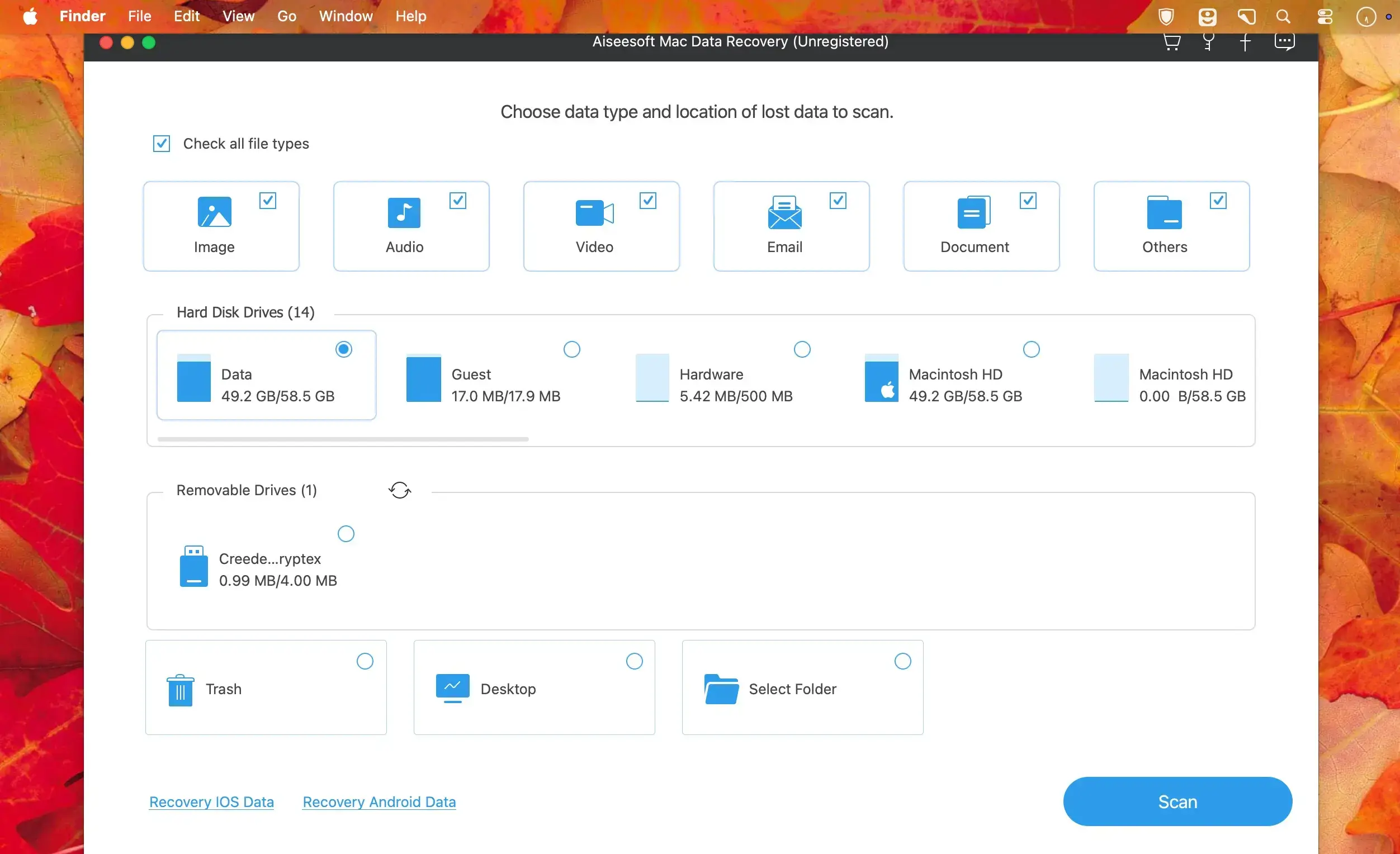
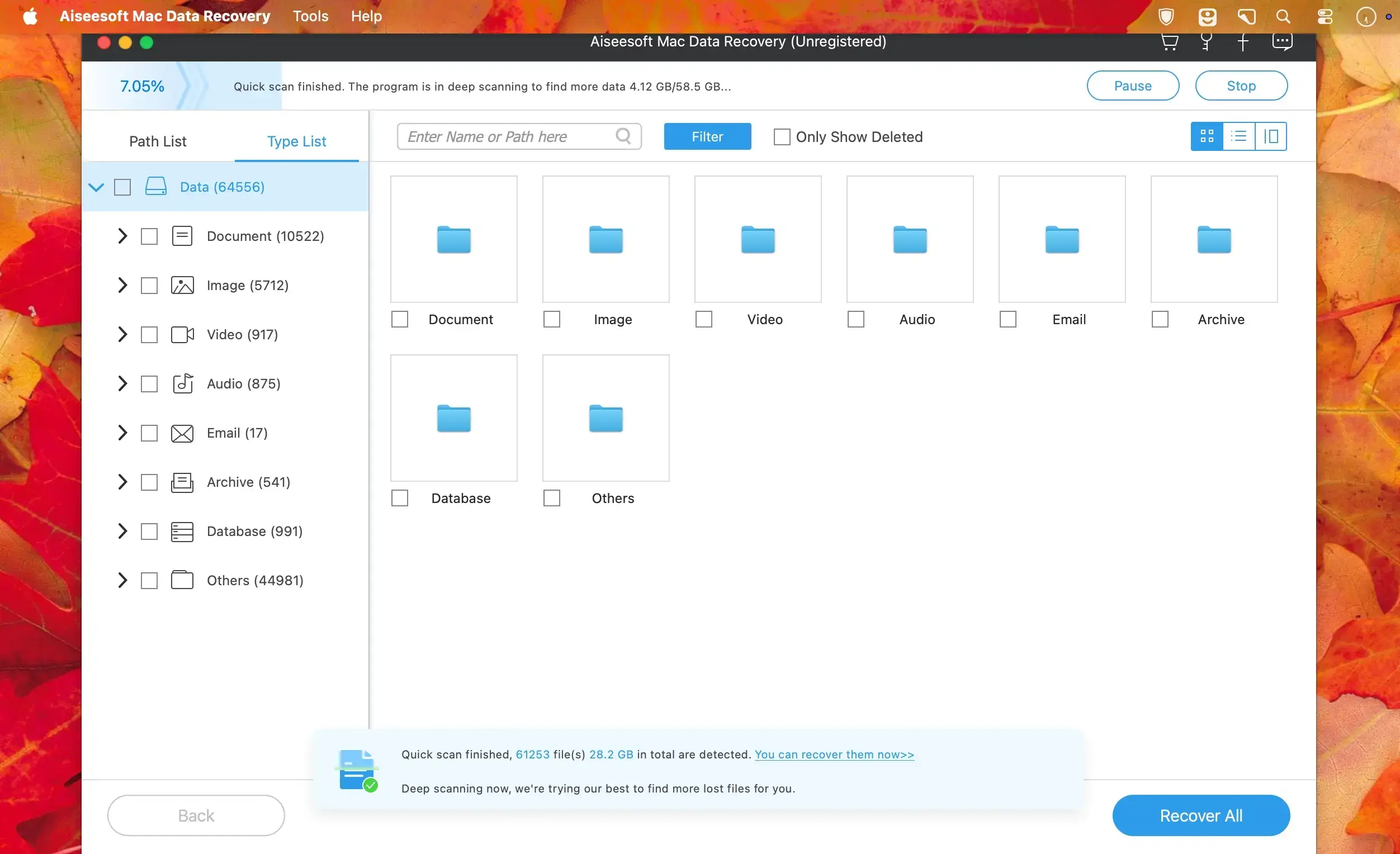
Aiseesoft Data Recovery helps you get back deleted or lost files on your Mac. Data can disappear because of software crashes, computer crashes, accidental operations, partition formatting, or virus attacks. The app scans your storage and restores photos, documents, emails, audio, videos, and other file types.
Recover files after accidental deletion
Permanently deleted important photos, documents, or videos? Formatted a disk by mistake? Aiseesoft Data Recovery can locate and restore them, even after you delete them from a cloud drive or disk, as long as archives are available locally.
Fix corrupted photos with AI
Recovered pictures sometimes come back damaged or with broken, blurry thumbnails. AI technology helps restore them, and it works with JPG, JPEG, and PNG files.
Find the right files faster
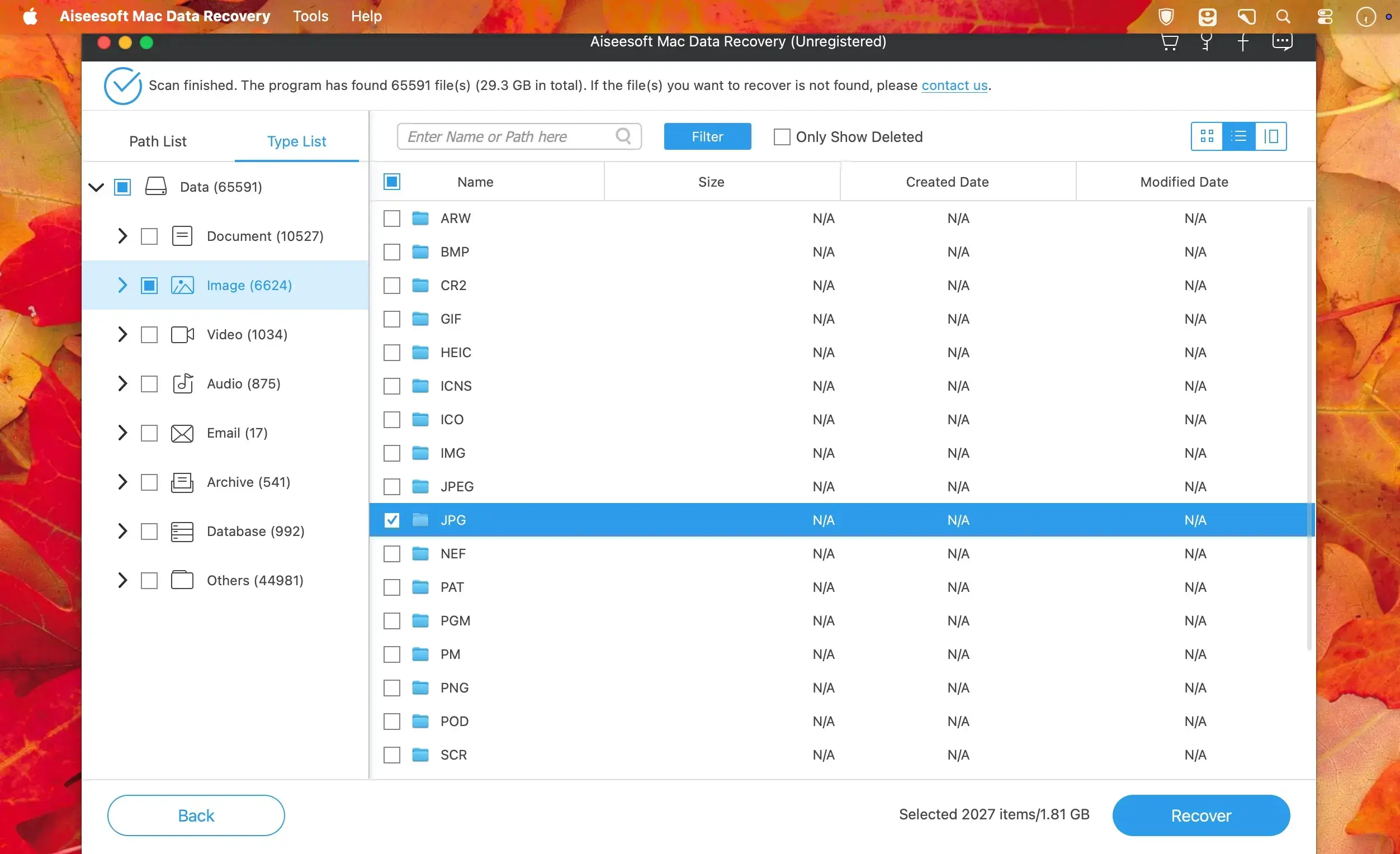
Scan by specific data type and drive, then use the Filter function to narrow down results. Preview files before recovery to confirm they are the ones you need.
Fast scan and Deep Scan
The app completes data scanning quickly. If you need to find every deleted file, switch to Deep Scan for a more thorough search.
Key features
- Wide file type support: recover images, documents, emails, audio, videos, and more.
- 2000+ storage devices: restore data from hard drives, flash drives, memory cards, digital cameras, and more.
- Deep Scan: search more thoroughly for deleted files.
- Filter: narrow down scan results to find the files you want.
- Preview: check selected files before you recover them.
- AI photo repair: restore broken and blurry thumbnails of JPG, JPEG, and PNG images.
Your data stays private
When you recover images, audio, videos, documents, or emails, the app does not store any of this data on its server.
Version 1.8.70:
- Fixed bugs
Comments
No comments yet. Be the first.