
Awaken 7.2.1
Awaken — Music Alarm Clock & Sleep Timer
Screenshots
Click to enlarge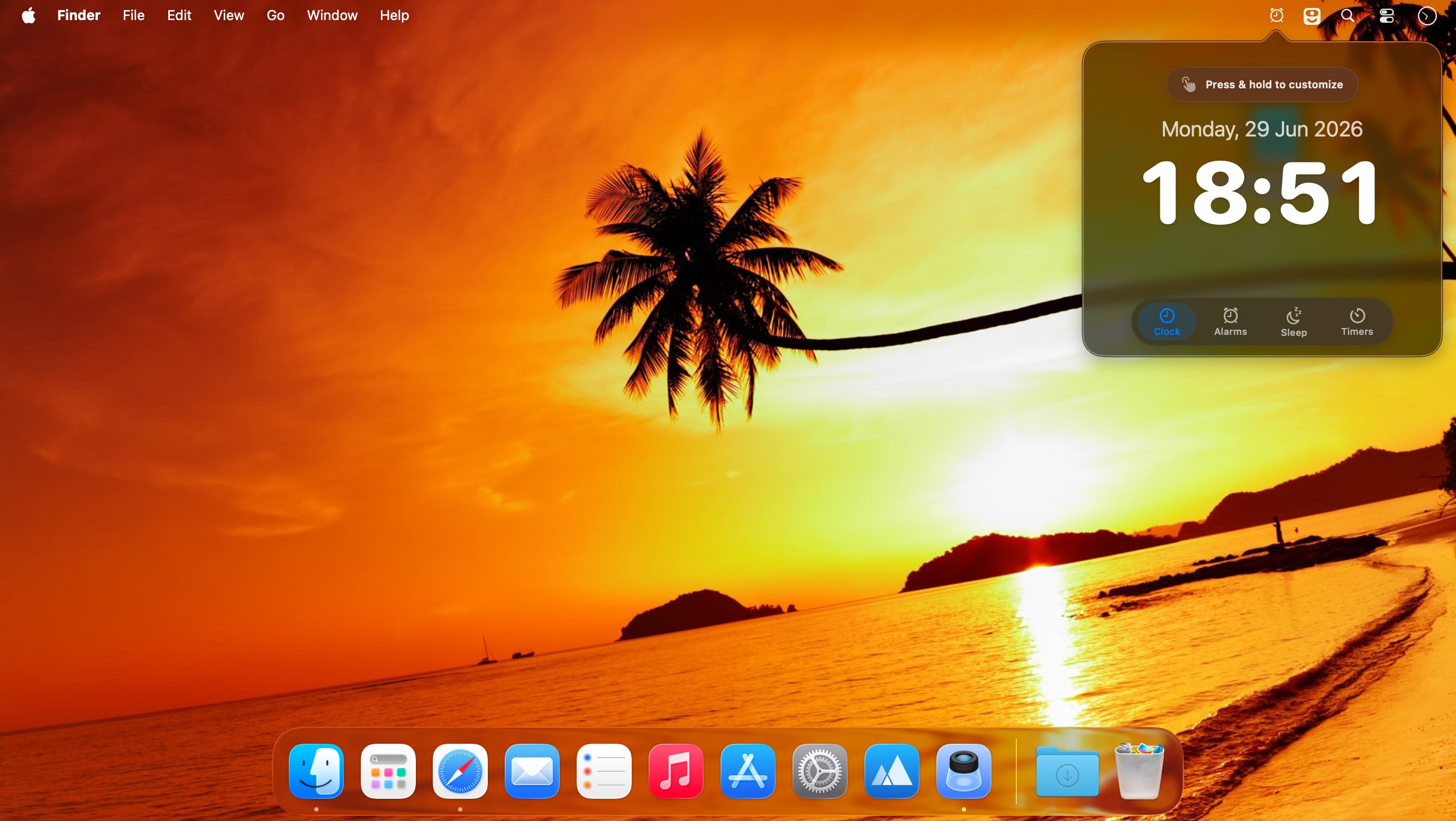
Wake up to your favorite music, wind down with relaxing sounds, and manage your time with flexible alarms and timers. Awaken transforms your Mac into a customizable music alarm clock and sleep timer.
Wake Up Your Way
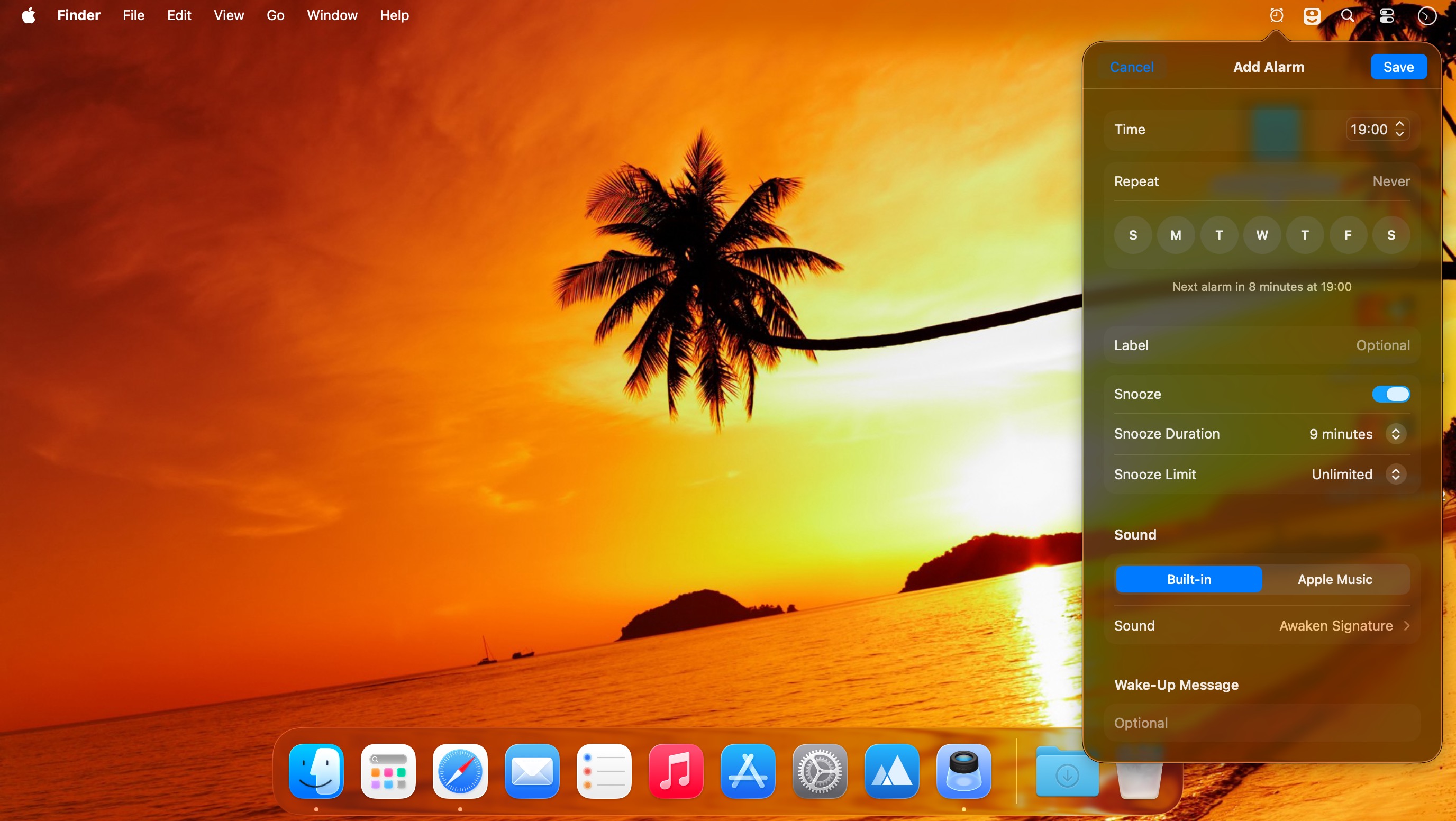
- Wake up to your music or built-in alarm sounds
- Create multiple alarms with custom names and sorting
- Set one-time, weekly, or date-specific alarms
- Gradually fade in music volume and screen brightness
- Launch apps or files when an alarm goes off
- Customize snooze controls
- Control alarms with Apple Remote or keyboard shortcuts
- Automatically stop alarms after a set duration
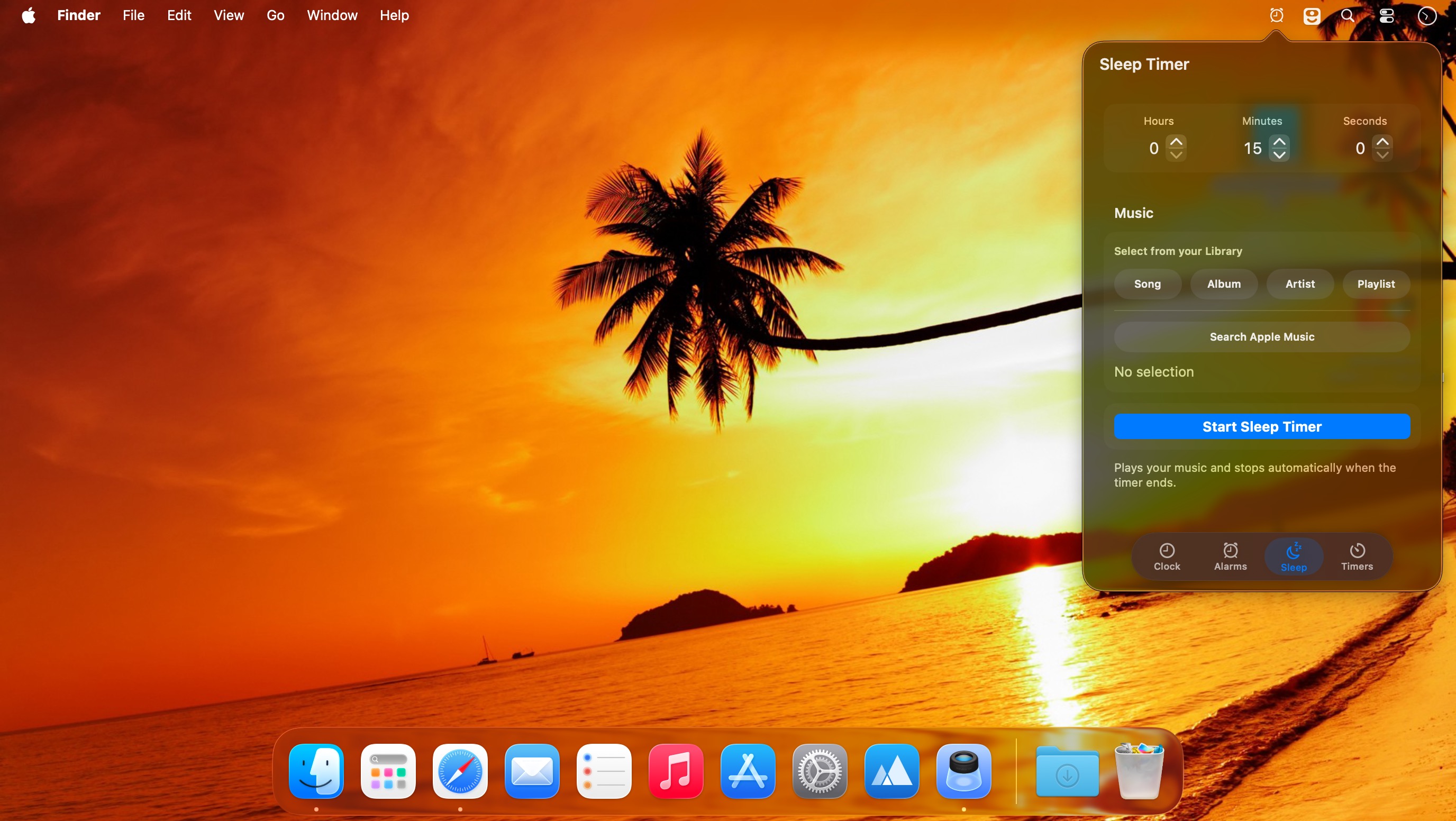
Relax with Sleep Mode
Fall asleep to your favorite music or peaceful ambient sounds, including:
- Beach
- Forest
- Ocean
- Rainfall
- White noise
Sleep Mode gradually fades out your music and screen brightness for a more comfortable bedtime experience.
Flexible Timers
- Create multiple timers
- Sort and label timers for easy organization
- Choose from more than a dozen built-in sounds
- Launch applications or files when a timer ends
Full-Screen Display
Use Full Screen Mode to view your alarms, sleep timer, and current time from a distance.
Helpful Shortcuts
- Click the date to view the next scheduled alarm
- Press Control + Shift + Eject to put your display to sleep
Awaken gives you simple, flexible control over waking up, falling asleep, and staying on schedule—all from your Mac.
Version 7.2.1
This update fixes an issue where an alarm could ring at an unexpected time. If your Mac was asleep when an alarm was due, Awaken could sound that missed alarm hours later, the next time you woke your Mac. Missed alarms and snoozes are now skipped, and repeating alarms move on to their next scheduled time.
- Tip: Turn on Wake from Sleep in Alarm settings so vour Mac wakes up for vour alarms.
Comments
No comments yet. Be the first.