

SoundSource 6.2.0
Make HDMI and DisplayPort volume keys work on Mac
Screenshots
Click to enlarge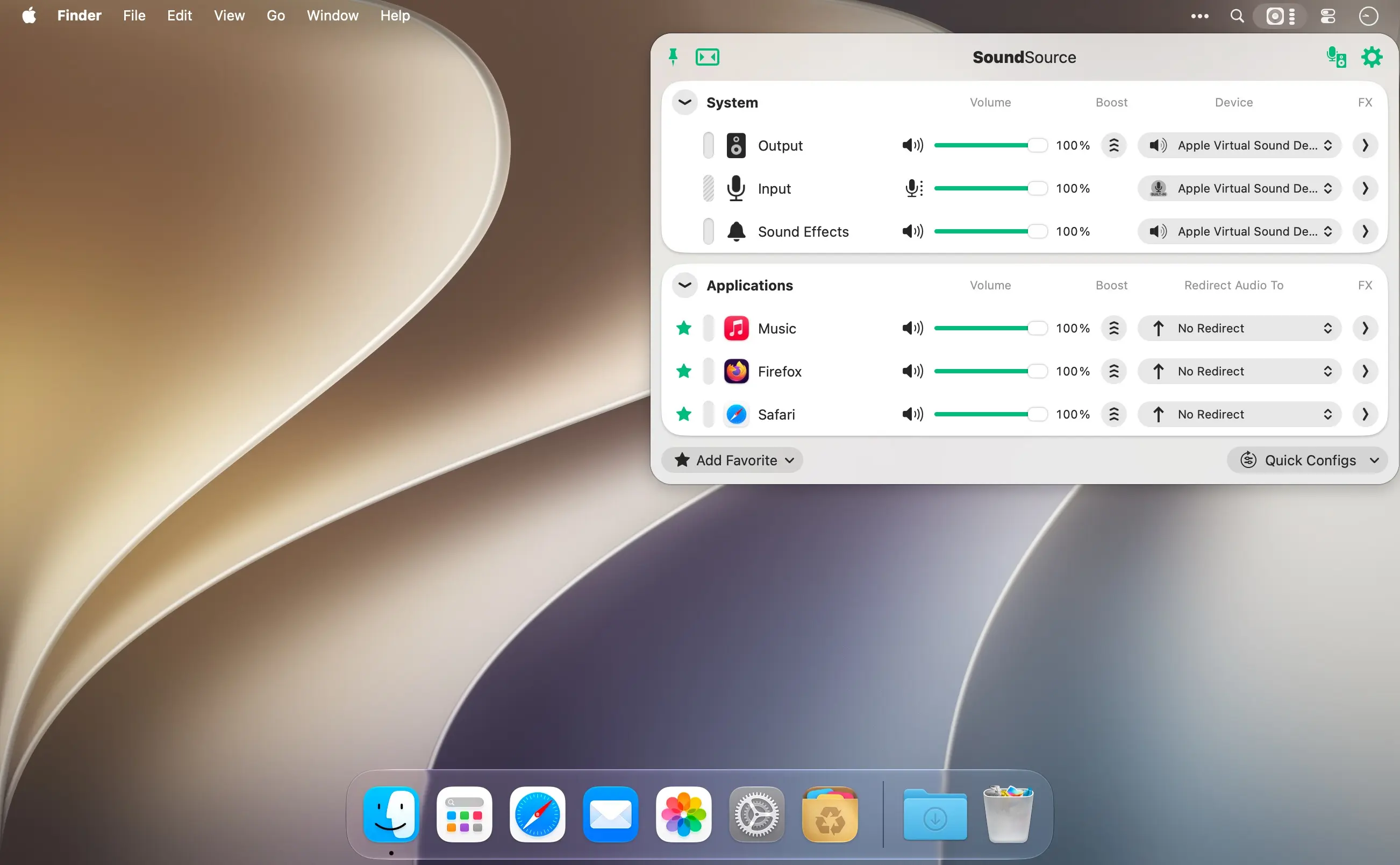
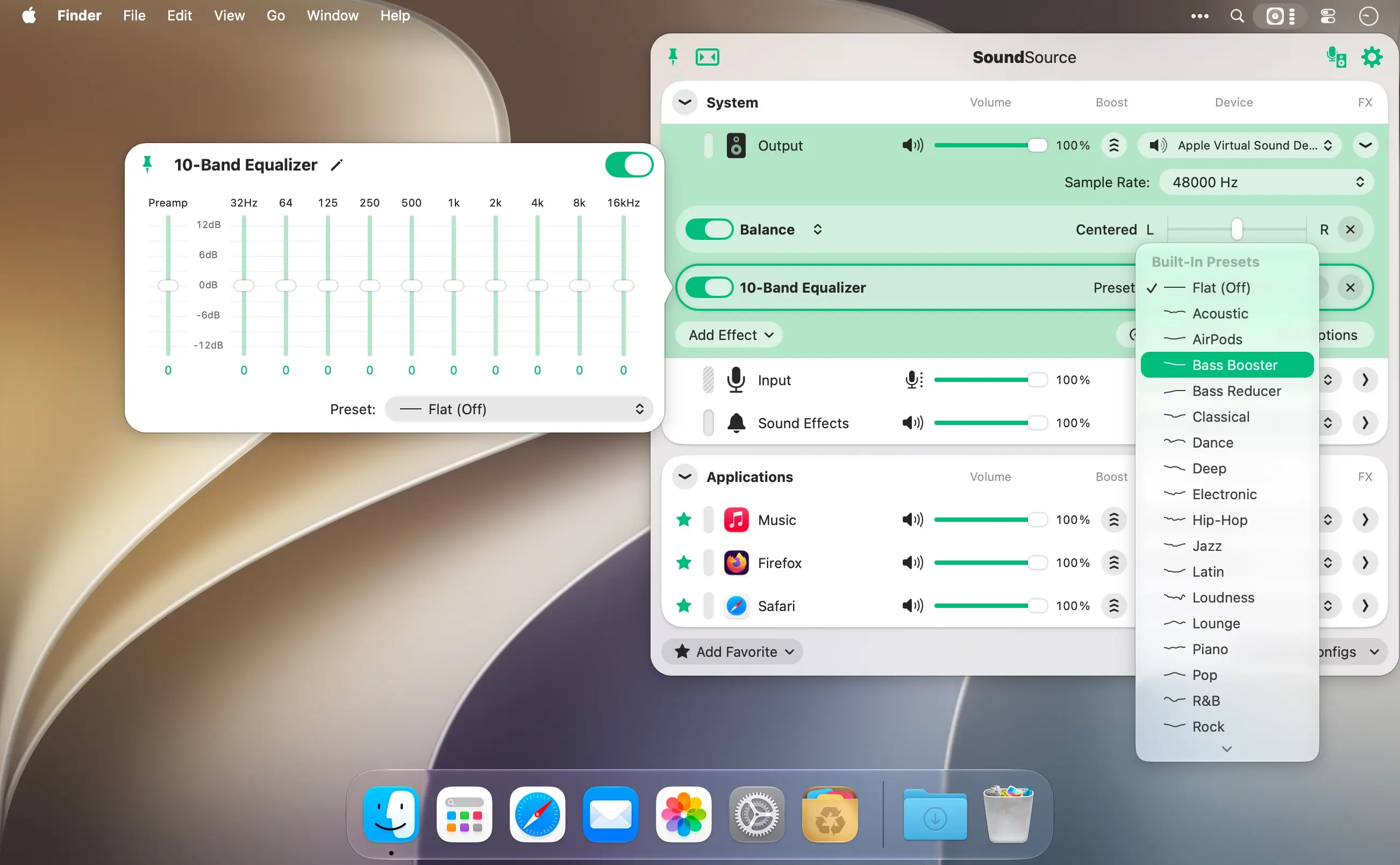
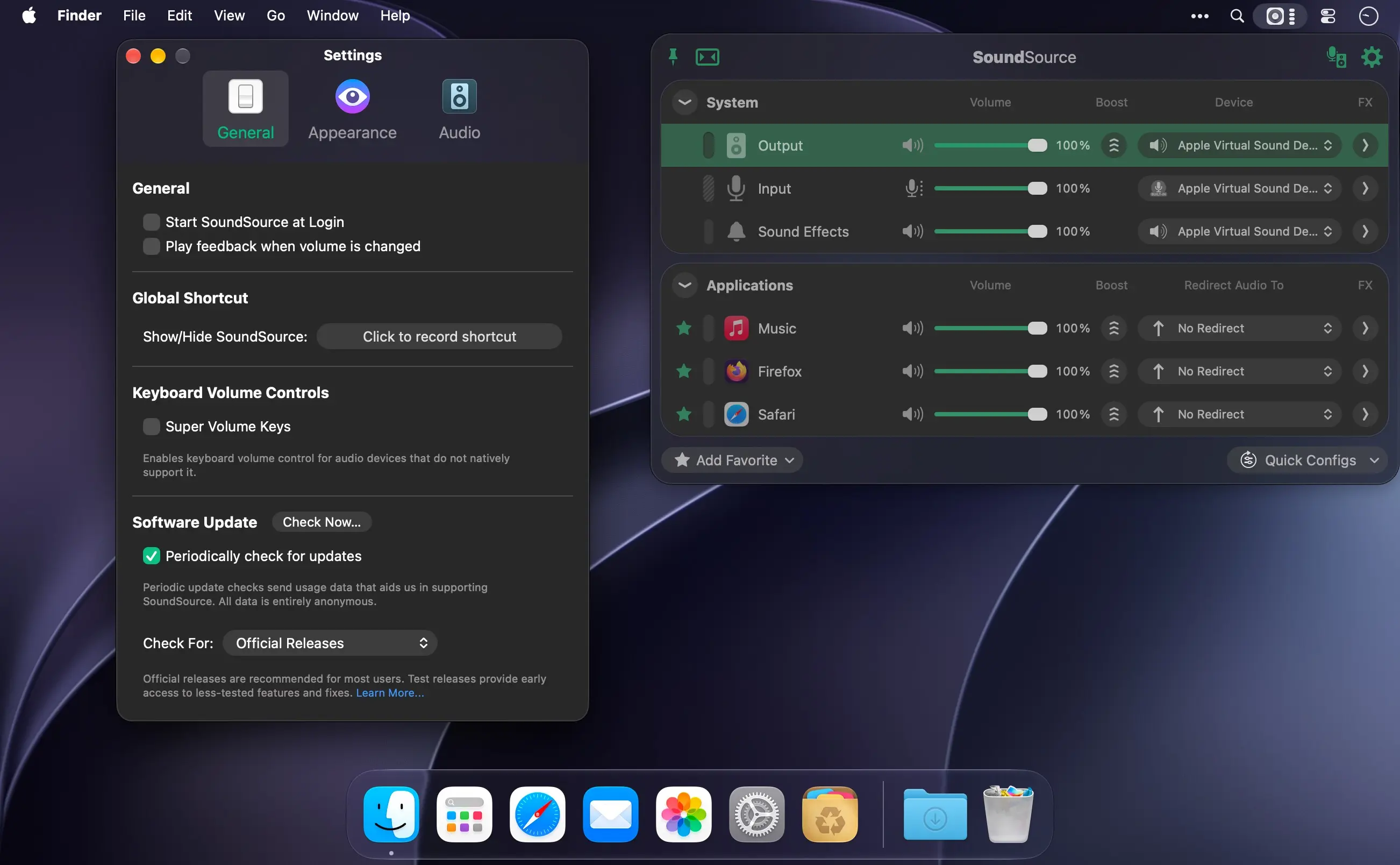
SoundSource puts your Mac's most important audio settings right in the menu bar. Switch input, output, and sound-effects devices, set the volume for each app individually, and make any audio sound better with built-in effects, all in moments.
Every app gets its own volume and output
Make one app louder or softer than the others, mute it entirely, or send it to a different output: play music from one app through your favorite speakers while everything else stays on your Mac's built-in output. With soft play-thru, you can hear any microphone or other input source through the output you choose.
- Per-app volume control: adjust volume levels for all your apps in one place, or mute any app entirely.
- Per-app output redirection: send individual apps to different audio outputs.
- Per-app audio effects: sweeten the sound of individual apps with the built-in 10-band equalizer and Audio Unit support.
- System-wide audio effects: apply the equalizer and advanced Audio Unit plugins to all audio on your Mac.
- System audio settings: adjust volume, input levels, balance, and sample rate for your Output, Input, and Sound Effects devices.
- Soft play-thru: route any input device to your chosen output to hear it live.
- Super Volume Keys: make your Mac keyboard's volume keys work with HDMI, DisplayPort, and other outputs that don't support them.
- Headphone EQ: get tuned sound from thousands of different headphone models.
- Magic Boost 2: get rich, full sound even from the tiniest speakers.
- Menu bar access: open all your audio controls with one click or a configurable global keyboard shortcut.
- Menu bar meters: add optional meters for your output device, input device, and active apps.
- Floating access: pin the main window so it floats on your screen for instant adjustments.
- Compact view: shrink the main window to take up as little space as possible.
Download SoundSource and take control of every sound on your Mac, right from the menu bar.
Version 6.2.0
- ARK Plugin Updated to 13.6
The ARK plugin which powers SoundSource’s audio handling has been updated to version 13.6. This update contains several enhancements to increase efficiency (and thus decrease CPU usage when capturing audio). As well, improvements have been made when using MacOS’s “Game Mode”, as well as AirPods with “Head Tracking” enabled. - Audio Unit Enhancements
The generic Audio Unit editor now has parameter groups, as well as a Command-F filter to quickly find a parameter amongst a large list. - Compatibility with Wine and CrossOver Apps
Each Wine or CrossOver app .exe is now its own source, with its own icon. - Notable Interface Improvements
An assortment of visual and responsiveness issues have been eliminated, and animations are now much smoother. Of special interest, SoundSource’s minimize animation (seen when unpinning the main window) has been made at least 43% more fun. - SoundSource’s effects popovers now adapt to fit smaller screens. They also respond as expected to MacOS window tiling.
- VoiceOver support across the entire app has been reviewed and enhanced. Of particular note, “Undo” and “Redo” now name the change being made. As always, if you spot an accessibility issue, please get in touch to report it.
- Audio from the “Screen Sharing” source is now correctly captured only during a High Performance screen sharing session, leaving “FaceTime” and “Phone” call audio alone.
- On MacOS 26 and higher, SoundSource’s volume adjustment banner now precisely matches the system’s style, properly appearing over fullscreen Spaces and staying on the main display. On MacOS 27, that even includes showing the device’s icon.
- “Set Effect Parameter” values in Shortcuts are now clamped to the parameter’s specific range. In addition, setting “Volume Overdrive” from Shortcuts now correctly snaps to a step.
- When audio is playing to devices like Bluetooth handphones from another device, such as an iPhone, it will now handoff to the Mac more smoothly.
- The Delete key now works to remove disconnected devices from the “Preferred Device Order” list.
- SoundSource now uses substantially less memory and CPU, particularly when idle.
- Audio Unit interfaces will once again respond as expected on MacOS 26 (Tahoe). This fixes a regression introduced in SoundSource 6.1.6.
- The chosen output device will no longer be incorrectly overridden by MacOS’s AirPods auto-connection/switching behaviors.
- An issue which could cause an AirPlay device to go silent after other AirPlay devices were added to or removed from a group has been corrected.
- Optimizations have been implemented to make sample rate changes and output switches much faster. In addition, tiny blips of unprocessed audio should no longer occur.
- Capture of “Bitwig Studio” now works as expected.
- Output Only devices are no longer incorrectly included in the input “Preferred Device Order” list.
- The ARK Repair window will no longer appear incorrectly when the Mac starts up or a user logs in.
- Re-installing the ARK plugin while the app was running could cause interface glitching. It no longer does.
- Applying a preset could result in distorted, or duplicated processing. It no longer does.
- Audio from apps with embedded helper, such as “Keyboard Maestro”, is once again correctly captured. This fixes a regression introduced in SoundSource 6.1.5.
- Popovers presented by Audio Units like “Aircaster” will no longer close as soon as they open.
- If an Audio Unit crashes repeatedly, SoundSource will now break out of the loop, rather than relaunching it indefinitely.
- Virtual microphones that send audio to several outputs at once, such as Elgato Wave Link, are no longer incorrectly muted. Audio capture from Elgato Wave Link’s virtual microphones is now entirely disabled, to work around this issue.
- Virtual microphones that send audio to several outputs at once, such as Elgato Wave Link, are no longer incorrectly muted.
- SoundSource’s interface has been reviewed and refined for touch input on the Mac. If you have feedback, please don’t hesitate to reach out.
- SoundSource has been slimmed down, saving about 18 MB thanks to better compression and removal of components that are no longer necessary.
Comments
No comments yet. Be the first.