

PDF Checkpoint 2.0.2
Automate PDF preflight and batch PDF conversion on Mac
Screenshots
Click to enlarge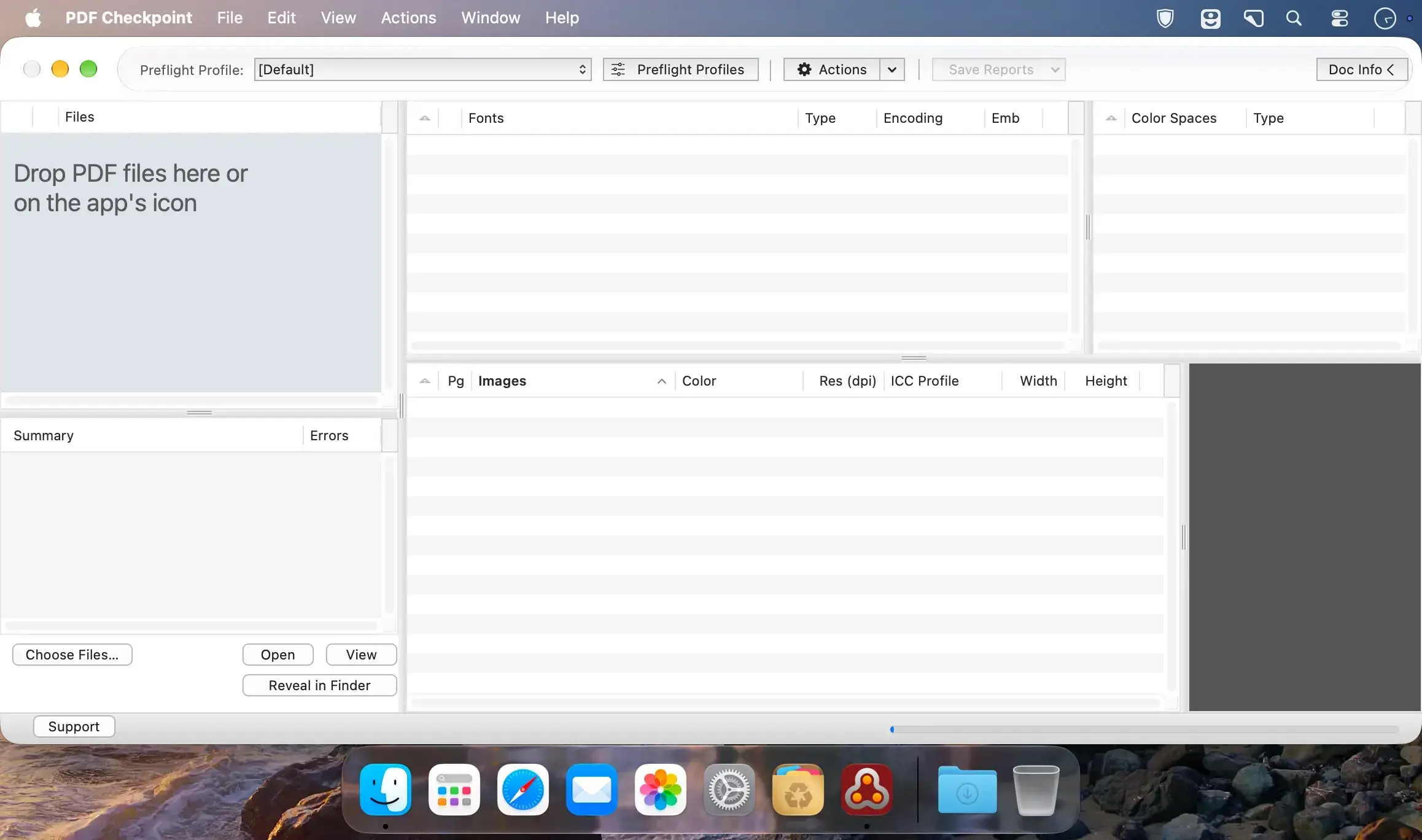
Description
PDF Checkpoint is a Mac app that automates PDF preflight and conversion with batch processing. It helps you catch costly errors and repurpose PDFs for print and web.
Automate your PDF workflow
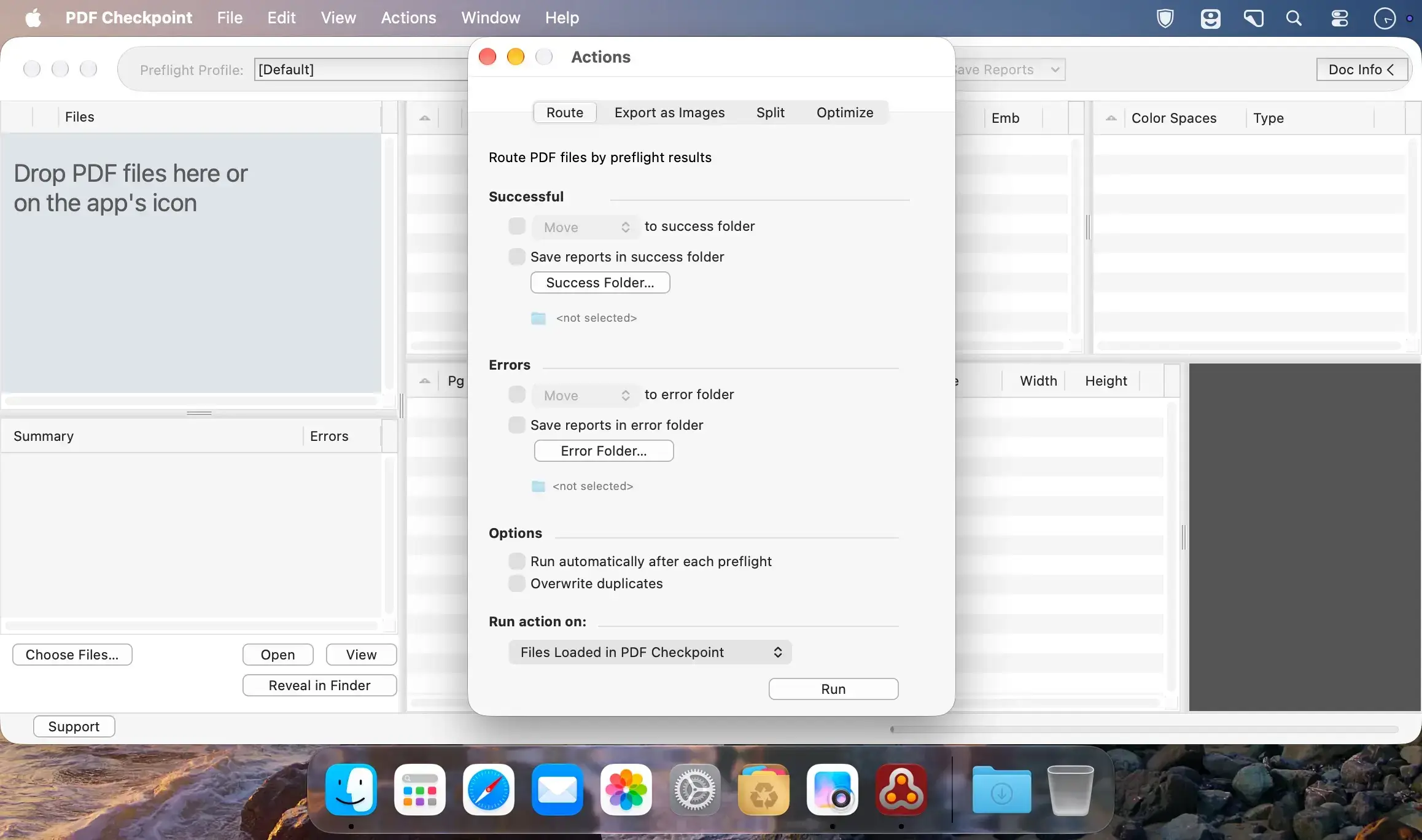
Process multiple files at once with preflight, color conversion, image export and extraction, page splitting, and file size reduction.
- Preflight PDF files: check multiple PDFs using preflight profiles, including document fonts, color spaces, images, metadata, and other attributes
- Convert colors: convert PDF files to a selected color profile, for example RGB to CMYK
- Optimize images: compress images and downsample them to a specific resolution to reduce PDF file size
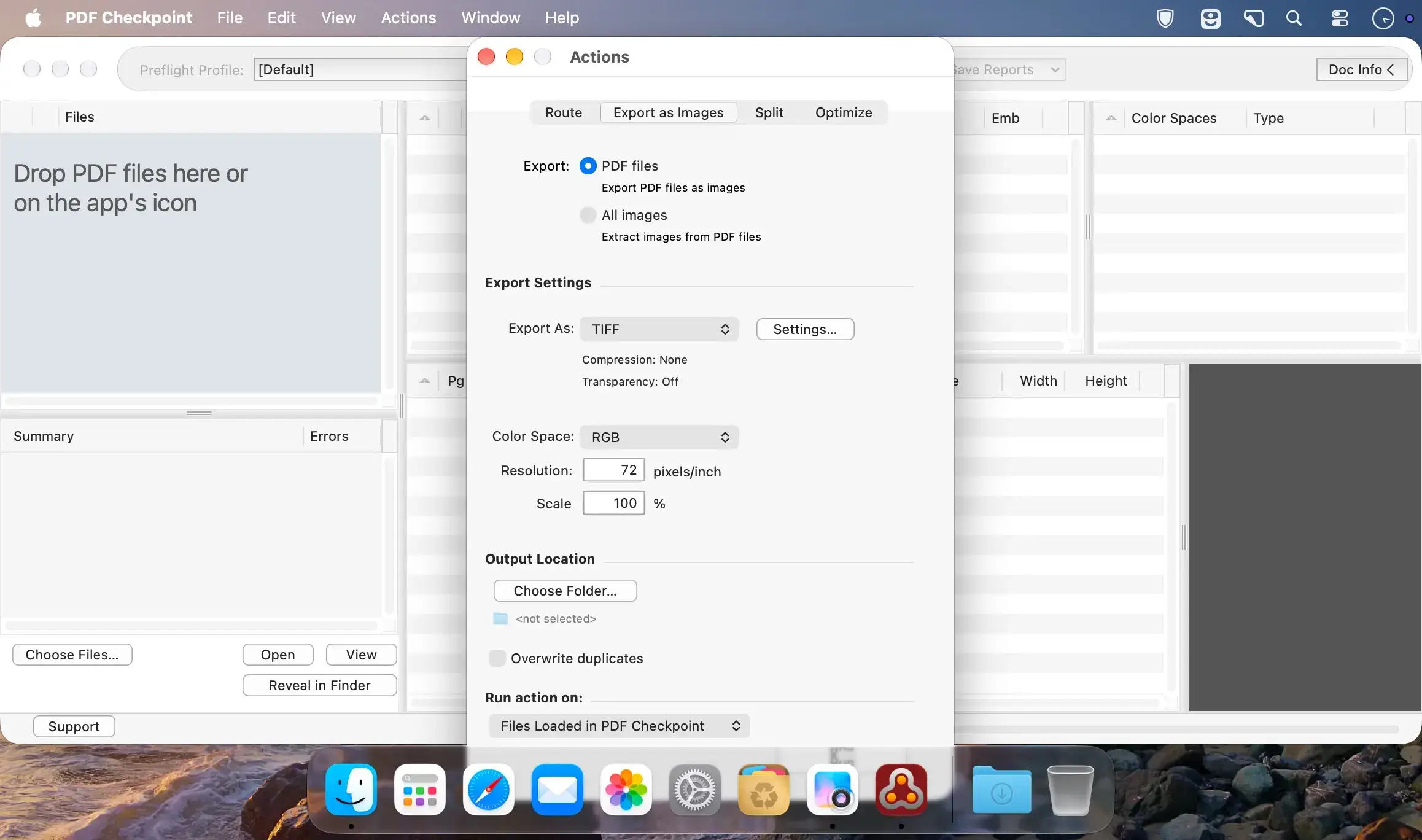
- Export PDF as images: batch export PDF files as TIFF, JPEG, PNG, GIF, or BMP in RGB, CMYK, or Grayscale, with a specified image resolution and page scale
- Extract images from PDF files: extract all images at a specified file format, color mode, and resolution
- Split PDF into single pages: automatically split multiple PDFs into single-page documents, processing all files or only those that passed preflight
What's new in PDF Checkpoint 2
Version 2 brings new capabilities and under-the-hood improvements.
- Apple Silicon: native support
- Image extraction: save images from PDF files in a specific file format, color mode, and resolution
- Measurement units: choose your preferred units in the settings
- Fixes and improvements: numerous fixes and internal improvements
- Future macOS versions: ready for upcoming releases
Comments
No comments yet. Be the first.
Information
Visitors in the group Guests cannot leave comments on this publication.